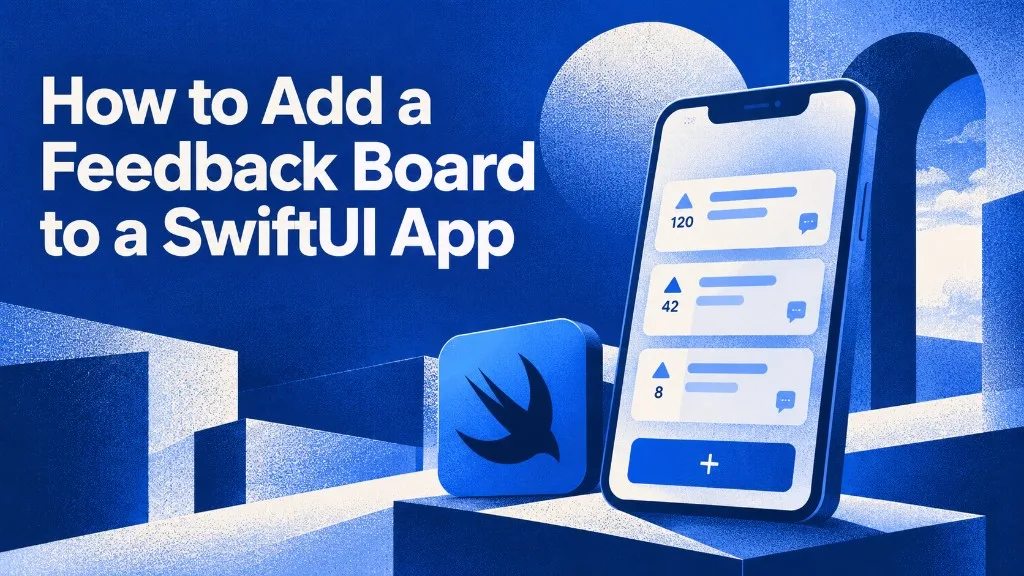
App Store reviews are not a roadmap.
A user writes “please add widgets” as a 2-star review. You cannot merge it with the other twelve people who asked the same thing. You cannot tell them you shipped. You cannot sort by who is paying.
The fix is a board inside the app: list, vote, comment, submit. One tap from Settings. Not a Safari view of your Canny page.
This is the SwiftUI version. One package, one configure call, one view. Same board can run on Android later so you do not keep two backlogs. Android walkthrough: WishKit alternative for Android.
SDK: github.com/feedbackjar/swift-sdk
Min iOS: 15.0
What you are adding
A native SwiftUI screen that can:
- List public requests
- Let a guest upvote without creating an account
- Open a thread and comment
- Submit a new request with iOS version, device model, screen size, app version, and locale attached
You can also skip the prebuilt UI and call submit / listFeedback / vote from your own form. Most apps should ship the board first and design a custom screen never.
Step 1 — Get a widget ID
- Start a 7-day trial (no card).
- Create a project.
- Copy the widget ID from the dashboard.
That ID is what the SDK sends on every request. Same ID works in the Android SDK and the web widget.
Step 2 — Add the package
Xcode: File → Add Package Dependencies.
URL:
https://github.com/feedbackjar/swift-sdkAdd the FeedbackJar product to your app target.
Or in Package.swift:
dependencies: [
    .package(url: "https://github.com/feedbackjar/swift-sdk", from: "1.4.6"),
],
targets: [
    .target(name: "MyApp", dependencies: ["FeedbackJar"]),
]
No extra pods. No UIKit wrapper required for a SwiftUI app.
Step 3 — Configure once
Do this before any view that touches the board. App.init is enough.
import SwiftUI
import FeedbackJar

@main
struct MyApp: App {
    init() {
        FeedbackJar.configure(widgetId: "your-widget-id")
    }

    var body: some Scene {
        WindowGroup {
            ContentView()
        }
    }
}
Wrong widget ID = empty board or failed submits. If you see nothing after step 7, this is the first thing to check.
Step 4 — Present the board
import FeedbackJar
import SwiftUI

struct FeedbackTab: View {
    var body: some View {
        FeedbackJarBoard()
    }
}
That view is the list, the detail, the vote pills, the comment thread, and the submit screen. It follows light/dark. It hides votes or comments if you turned those off in the dashboard. It does not throw — failures show the server message inline.
Accent colour and a single board
FeedbackJarBoard(
    accentColor: Color(red: 0.11, green: 0.42, blue: 0.92),
    boardId: "board_123"
)
One colour drives the primary button, links, and voted state. Default is FeedbackJar red (#e5484d). boardId is optional. Leave it off if you only have one board.
UIKit host
Still on UIKit? Push the bundled host:
let vc = FeedbackJarViewController()
navigationController?.pushViewController(vc, animated: true)
Step 5 — Put it where people will actually open it
Placement changes submission count more than theming.
Settings row (default I use).
Users already go there to complain. Label it “Feedback” or “Feature requests.” Not “Ideas,” not “Wish list.” Cute names suppress taps.
NavigationLink {
    FeedbackJarBoard()
} label: {
    Label("Feature requests", systemImage: "lightbulb")
}
Tab.
Only if feedback is a core loop (community apps, tools with a public roadmap). A fourth tab that nobody asked for is clutter.
Toolbar button.
Fine for utility apps with no Settings screen. Use lightbulb or bubble.left. Keep the label readable.
Do not hide it behind a shake gesture unless you also have a visible entry point. Shake is for bugs. Feature requests need a row a human can find on purpose.
Step 6 — Tell the SDK who the user is
Anonymous voting works out of the box. Each install gets a random id in UserDefaults (not an IDFV, not an advertising id). Reinstall resets it.
If the user is signed in, pass the name and email so the dashboard is not “Guest on iPhone 15.”
FeedbackJar.shared.setIdentity(
    name: user.name,
    email: user.email
)
On logout:
FeedbackJar.shared.clearIdentity()submit remembers the last name/email you sent, so you only have to ask once if you use your own form.
Attach plan or screen as custom properties when you submit from your own UI:
let result = await FeedbackJar.shared.submit(
    userText,
    properties: [
        "plan": "pro",
        "screen": "settings"
    ]
)
Values: String, Int, Double, Bool. No nested dictionaries. These merge into the auto-collected bundleId, version, and build.
That is how you stop prioritizing “42 votes from free users” over “6 votes from people who pay.”
Step 7 — Test it like a user
- Run on a simulator or device.
- Open the board. It should not be blank if you seeded a post from the dashboard. An empty board looks broken. Add two real requests before you ship the screen.
- Submit “test from iOS simulator.”
- Confirm the post in the FeedbackJar dashboard. Check that iOS version, model, and app version landed.
- Upvote it from a second simulator (different install id). Vote count should move.
- Change the status in the dashboard, pull to refresh in the app.
If submit fails: widget ID, network, or you hit the rate limit (5 submits per 15 minutes per IP). The UI shows the server text — read it before you rebuild the package.
Custom UI (only if you need it)
The prebuilt board is enough for most apps. If you already have a design system and want the list to look like the rest of Settings:
let result = await FeedbackJar.shared.submit("Dark mode on the lock screen")

let page = await FeedbackJar.shared.listFeedback(limit: 20)
let voted = await FeedbackJar.shared.vote(postId: post.id)
Read dashboard flags before you draw fields:
let config = await FeedbackJar.shared.getConfig()
if case .success(let value) = config {
    showNameField  = value.collectName
    showEmailField = value.collectEmail
    showVoteButton = value.allowVotes
    showComments   = value.allowComments
}
Comments are two levels deep. Guests can post if you enabled that in the dashboard. Email on a comment is for reply notifications only — it is not an account.
Full API reference: iOS SDK docs.
What this is not
- Not a Canny / Featurebase WebView. No login wall, no website chrome. Those “mobile SDKs” are a URL. Does Canny have a mobile SDK?
- Not TestFlight Feedback. That channel dies the day you ship.
- Not App Store reviews. Reviews are a public argument. A board is a backlog you can close.
- Not iOS-only lock-in. Same widget ID on Android, React Native, and Flutter. WishKit stops at Apple platforms. If Play is on the roadmap, do not start with an SDK you will rip out. WishKit alternative.
After it is live: close the loop
A board that sits on “Planned” for six months trains users to write 1-star reviews instead.
Connect the MCP server so Cursor / Claude Code / Codex can:
- List top-voted open posts
- Read the iOS version + app version on the report
- Ship the fix
- Mark the post Done
- Notify every voter
That is the difference between “we collect feedback” and “we ship what people voted for.” Longer writeup: Close the feature request loop with MCP agents.
Frequently asked questions
Does this affect App Review?
A Settings-row feedback board is normal app functionality. Declare the data you collect in App Privacy. The guest voter id is a random UUID in UserDefaults, reset on reinstall.
Is the widget ID secret?
Treat it like a client key. It can create posts and votes for your project. It cannot read other orgs or empty your account. Still do not paste a user/account token into the app.
iOS 15 or 16?
This SDK: iOS 15.0+. SwiftUI on 15 is enough for FeedbackJarBoard.
Can users undo a vote?
Yes. unvote(postId:) is in the SDK. The prebuilt board exposes it when guest voting is on.
What if I already use WishKit on iOS?
Keep shipping. Add Android later with FeedbackJar and you will have two vote counts for the same idea. Migrating iOS to the same widget ID is the cleaner path when you are ready. Side-by-side: WishKit alternative for Android.
Do I need a backend?
No. The package talks to FeedbackJar. You moderate in the dashboard.
Copy-paste checklist
- Trial account, widget ID copied
- SPM:
https://github.com/feedbackjar/swift-sdk -
FeedbackJar.configure(widgetId:)inApp.init -
FeedbackJarBoard()on a Settings row labelled “Feature requests” -
setIdentityafter login - Two seed posts in the dashboard so the board is not empty
- One test submit from the simulator, metadata visible in the dashboard
Start a 7-day trial — no card. Same widget ID works on iOS and Android.